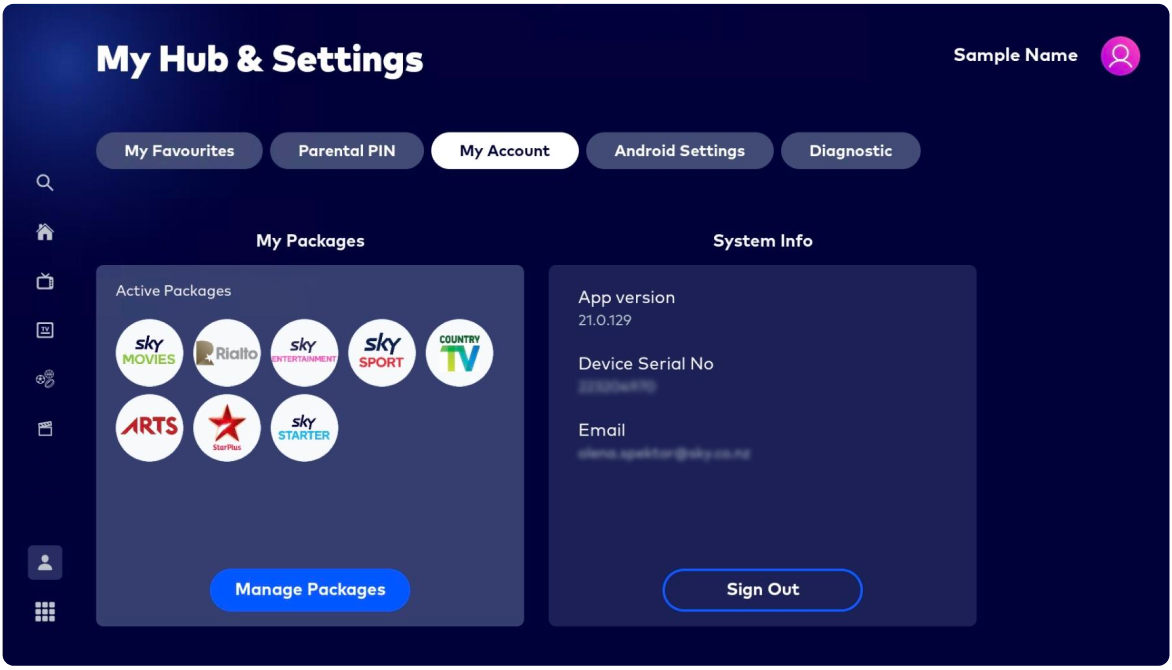
The serial number of your Sky Pod is a unique number that helps identify and track the Sky Pod. You can find it either on the Sky Pod, or in the device settings.
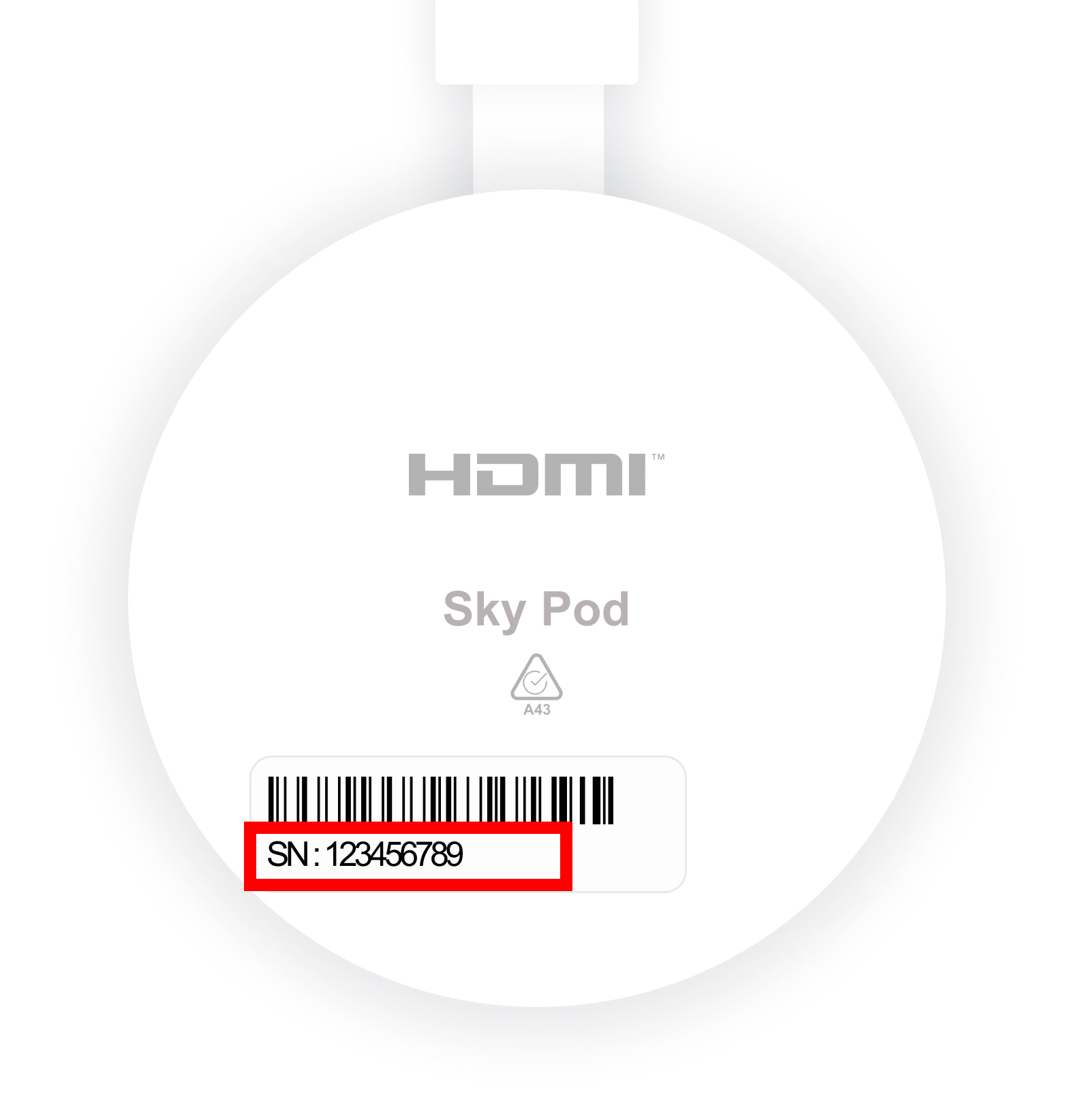
On the Sky Pod
Search for the label containing a barcode and the number "SN: XXXXXXXXX". This is the serial number of your Sky Pod.
Using the Sky remote
- Press the My Hub button
- Scroll to and select My Account on the screen
- The Device Serial Number will be displayed second in the System Info list.