Returning Sky Broadband Equipment
When you first joined Sky Broadband, we may have provided you with a Sky owned Router and Booster. If you've cancelled your Sky Broadband service or are changing to a plan that does not include a Booster, these devices will all need to be returned.
We’ll send you a pre-paid courier bag to make this process easy. Just place the Sky Wi-Fi Router, Booster, and all power supplies in the self-addressed courier bag and drop it off at your nearest NZ Post Shop. You can also book a pick up courier directly on the CourierPost website or by giving them a call on 0800 COURIER.
If the equipment isn't returned to Sky, you may be charged an unreturned equipment charge based on the number of devices you have.
Sky Broadband Equipment that needs to be returned
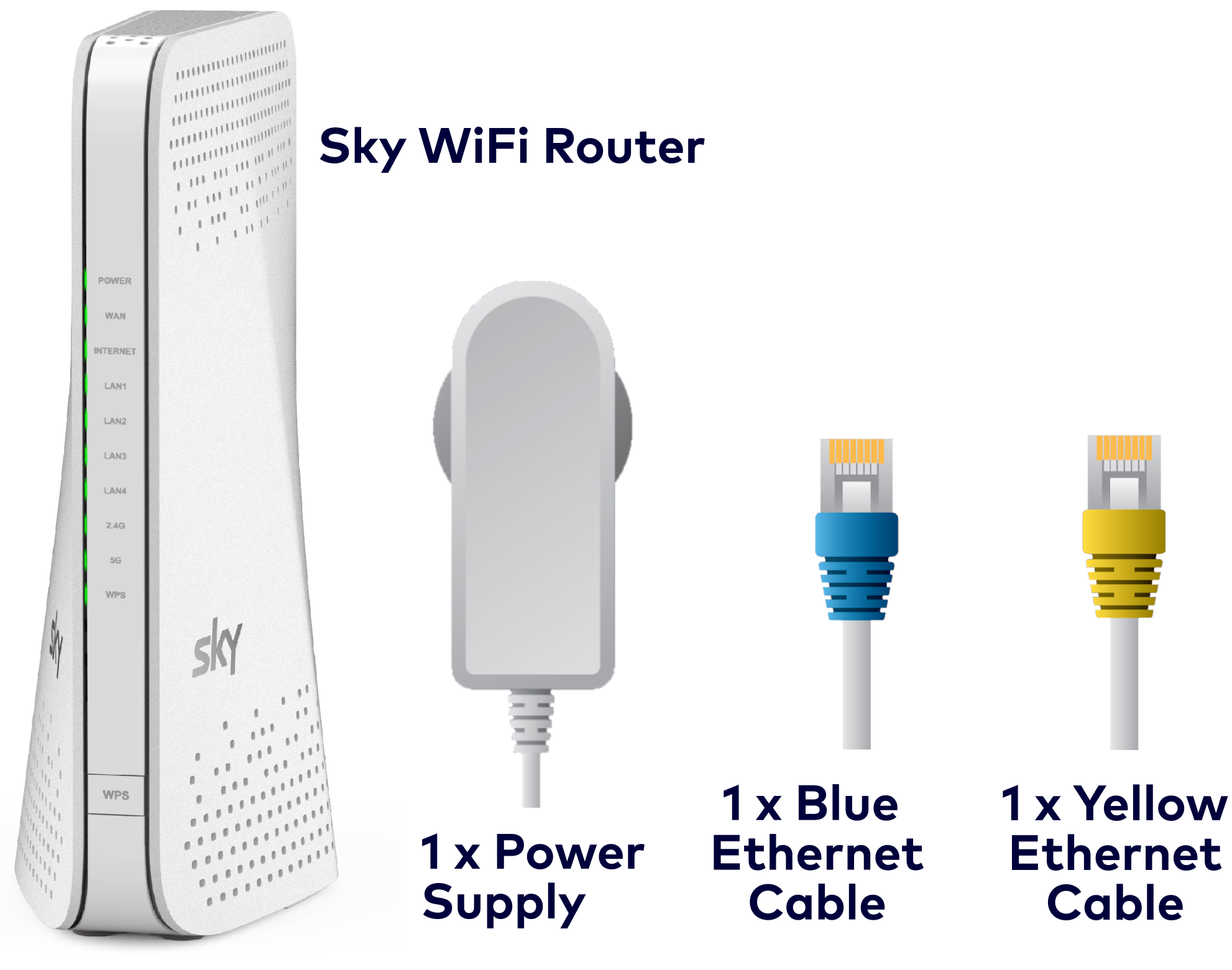
When retuning a Sky Broadband equipment, include these items:
- Router x 1
- Power supply X 1
- Blue Ethernet Cable X 1
- Yellow Ethernet cable X 1
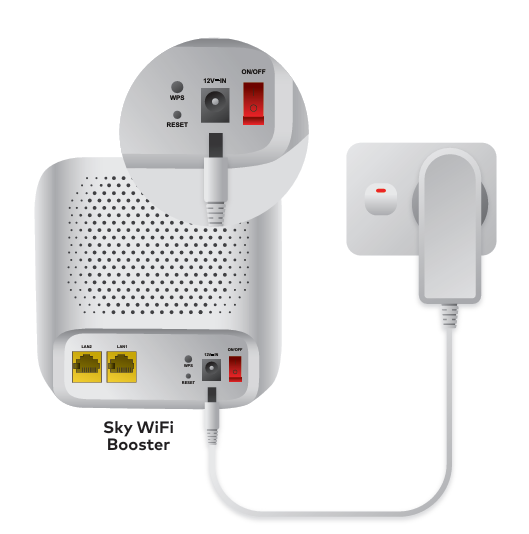
- Any Additional Boosters and their Power supplies
Returning Sky TV Equipment
When you stop your Sky TV or Multiroom service, you’ll need to return any Sky equipment you have – such as your Sky Box and power cables.
Note: The non‑return fees are $260 for the new Sky Box and $120 for the Sky Pod.
Note: When returning your Sky Box or Sky Pod, please perform a factory reset to remove all personal information, such as My Account details, Google Account details, profile names, and other stored data.
When you cancel, our team will confirm how to return your equipment. You’ll receive either a pre-paid courier bag, or a print-at-home pre-paid return label.
All you need to do is:
- Pack your Sky TV equipment securely in a box or bag.
- Stick on the pre-paid return label.
- Drop it off to your nearest NZ Post or book a courier and you’re done.
Got any questions? Our friendly Sky Crew is here to help.
If you’ve got a faulty Sky TV device, here's everything you need to know about returning it.
Do I need to return power cables and remotes?
Yes – please include all power cables, remotes, and accessories that came with your Sky equipment.
What if I can't find all the parts?
Return everything you have. If items are missing, give us a call so we can help.
How long do I have to return my equipment?
We usually allow 30 days from disconnection for equipment return. If you need more time, just get in touch.
Where do I drop off my equipment?
You can take your courier bag to any NZ Post shop. For some equipment, our Customer Service Crew may offer you a print-at-home label and drop-off options.
What if I don’t have a printer?
No worries, let us know when you contact us and we can organise another option for you.
Can you pick up equipment from my home?
Yes — you can book a courier if that's easier.
Do I need the original box?
No. Just pack your equipment securely. Please refer to NZ Post packaging guidelines for helpful hints on how to package the equipment.
How do I track my return?
You don’t need to track the equipment you’re returning – we’ll take care of this.
What happens if I don’t return my equipment?
We may charge you for not returning the equipment we expect back, so please do this promptly or get in touch if you need more time.
The non‑return fees are $260 for the new Sky Box and $120 for the Sky Pod.


